
Possible causes
1. Conditional approvals are not met
Conditional approvals must be exactly as entered on your spreadsheet collecting responses.
For example, letters are case sensitive. Numbers should be entered without currency symbols, commas and spaces
For words, good practice is to use a multiple choice question on your Google Form and to copy paste the possible answers in the Row Content section of the Conditional approval to avoid errors
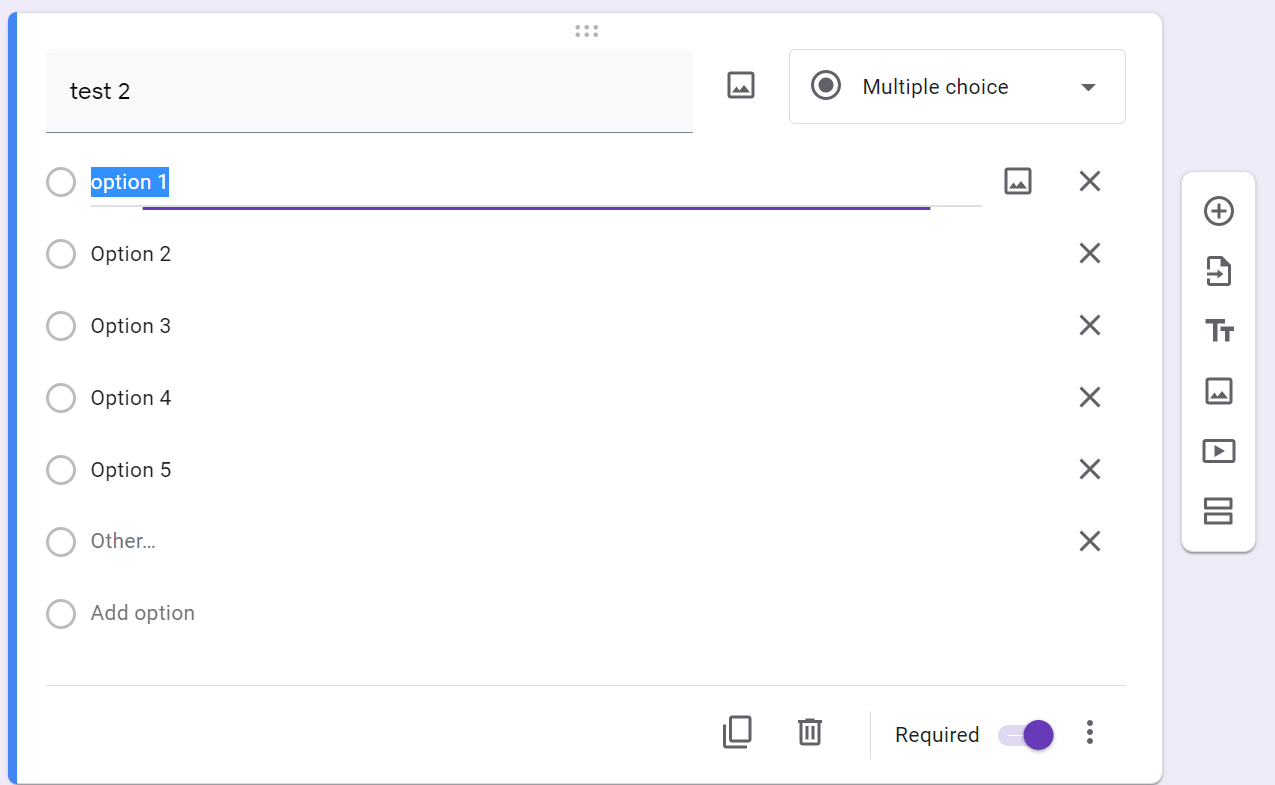
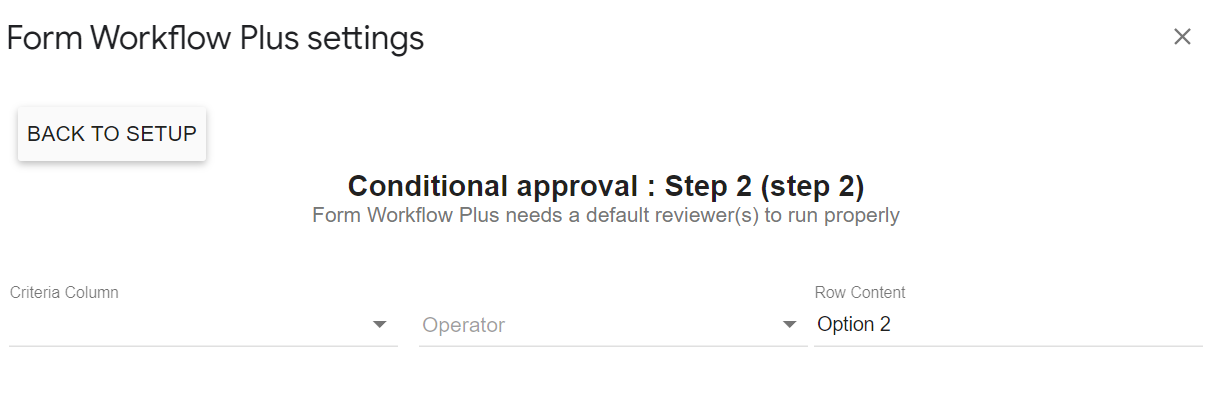
For numbers, good practice is to use Response validation on your Google Form, like number is number. This will prevent requesters from entering currency signs, commas and spaces on your Google Form
2. Reviewer email address does not have Mail enabled
If you add a Google Account as reviewer that does not have Mail enabled only the Step 1 will work.
You cannot add Step 2 and more.
For the Step 2 and over to work, reviewers need to have the Mail enabled in their Google account
FYI, Request for approval emails are sent using the MailApp for Step 1 and GMailApp for the subsequent steps. Therefore it cannot work without Mail enabled.
===>> How can a workflow owner re-run a workflow request ?
Comments
0 comments
Please sign in to leave a comment.